

![[packet storm]](/logos/linegray.webp)
 About
About Files
Files News
News Vote
Vote Help
Help Changes
 Tracker
 API
API Advertise
 Contact
 Store
Store Join
Join Login
LoginFavorites
From Site Features
From Site Features
The concept of deeming something a Bookmark on Packet Storm serves multiple purposes. It not only lets you keep track of items you want to reference later, but it also serves as an input for your activity timeline others can track when following you. A file, a news article, or a researcher/source credit for a file can be set as a Bookmark. Note: Bookmarks used to be called Favorites.
When logged in, users will see a Bookmark icon ( ) next to file researcher/source credits, file entries, and news entries.
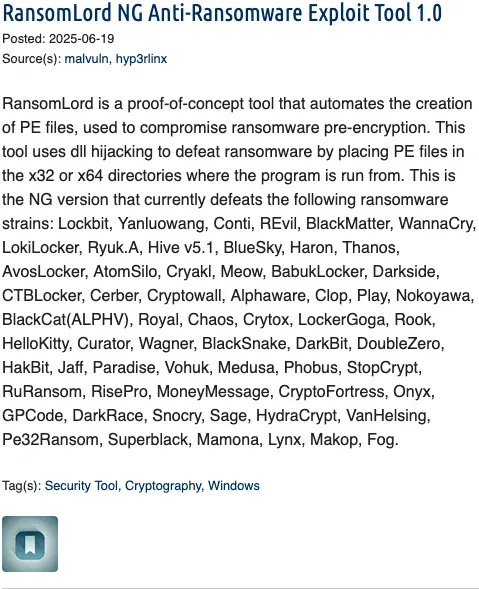
This is what a file entry might look like before it has become a Bookmark.
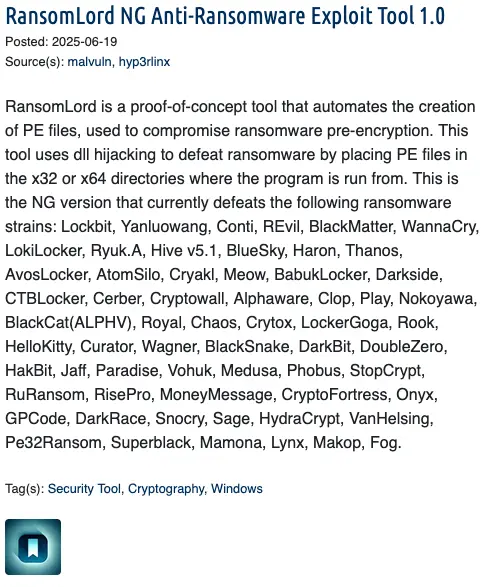
After the Bookmark icon () is clicked, the entry will become activated ( ).
).
Note: The action of making something a Bookmark is public data. Others can see if you have marked something as a Bookmark.
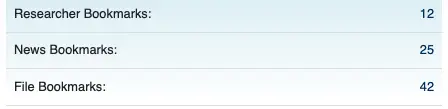
If you want to see your Bookmarks, visit your profile. The associated lists will be accessible via the Researcher Bookmarks, News Bookmarks, and File Bookmarks links. Visit another user's profile to view their bookmarked items. Please note that you must be logged in to see someone else's bookmarks.
When logged in, users will see a Bookmark icon (
) next to file researcher/source credits, file entries, and news entries.
This is what a file entry might look like before it has become a Bookmark.
After the Bookmark icon (
) is clicked, the entry will become activated ().
Note: The action of making something a Bookmark is public data. Others can see if you have marked something as a Bookmark.
If you want to see your Bookmarks, visit your profile. The associated lists will be accessible via the Researcher Bookmarks, News Bookmarks, and File Bookmarks links. Visit another user's profile to view their bookmarked items. Please note that you must be logged in to see someone else's bookmarks.
Help Section
The Electronic Frontier Foundation is the leading nonprofit organization defending civil liberties in the digital world.
The Electronic Frontier Foundation is the leading nonprofit organization defending civil liberties in the digital world.